FAQ
How do I translate configuration labels?
FAQ — all pages
First specify a fallback configuration label: 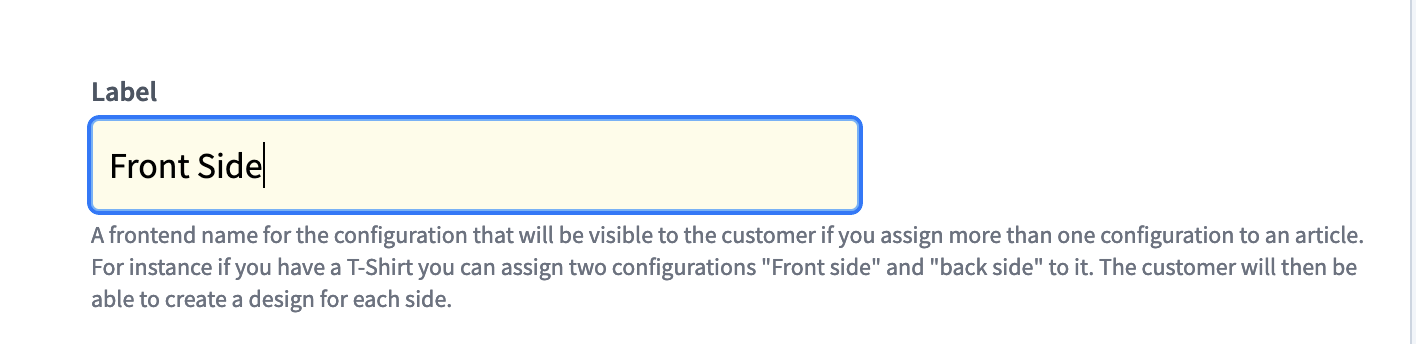
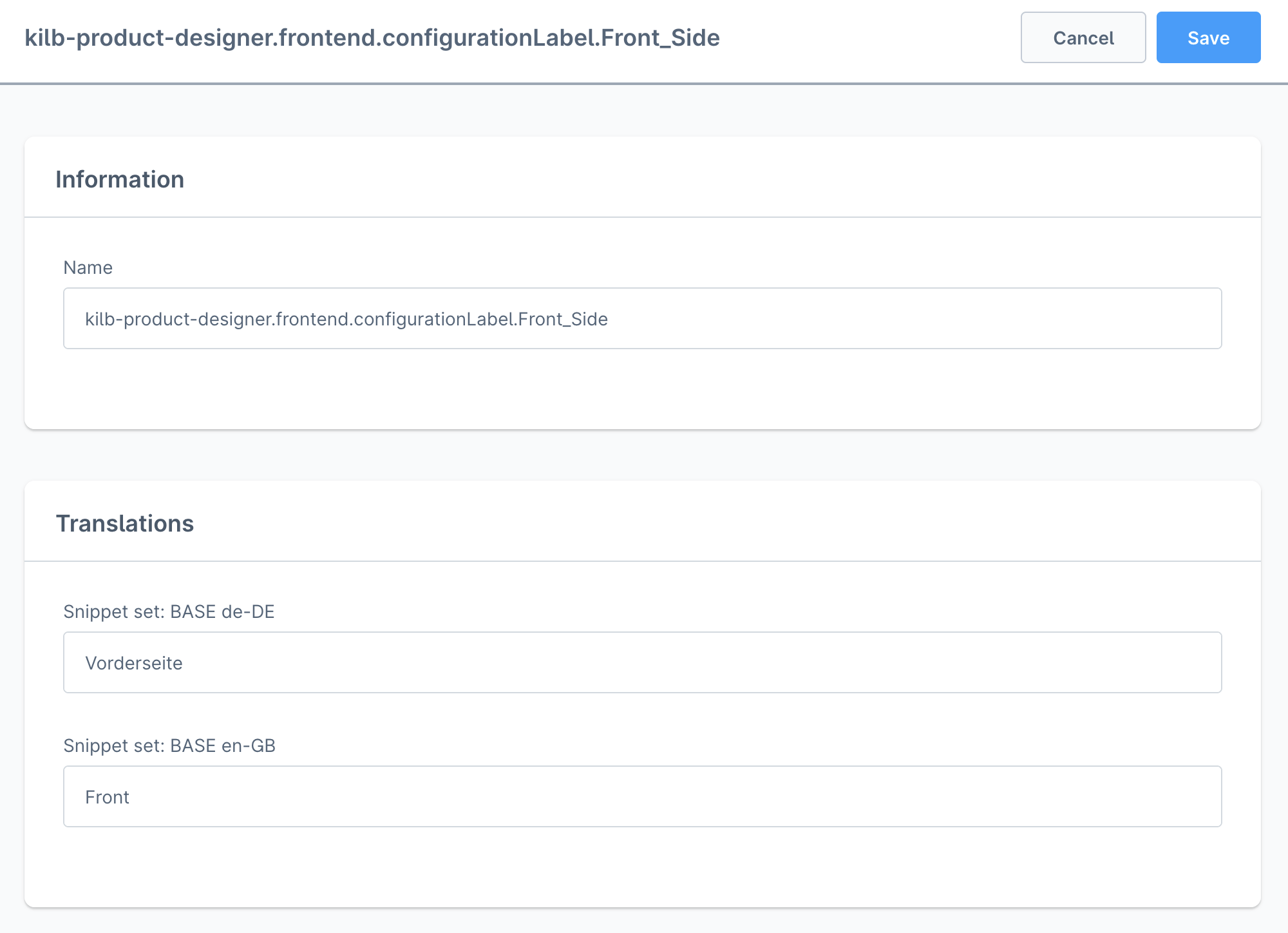
Now add a new translation in your webshop administration for each language. The translation key has to be:
“kilb-product-designer.frontend.configurationLabel.Your fallback label with spaces replaced by underscores.”
So, if your fallback label is Front Side, the translation key has to be:
kilb-product-designer.frontend.configurationLabel.Front_Side.
Shopware
Click on Settings > Shop > Snippets. Click the three dots icon near the translation set you want to add the translation for, then click Edit. Now click on New snippet and add the translation key as Name.
Make sure you added the translation for every translation set you use. Please make also sure that you cleared the caches afterwards.